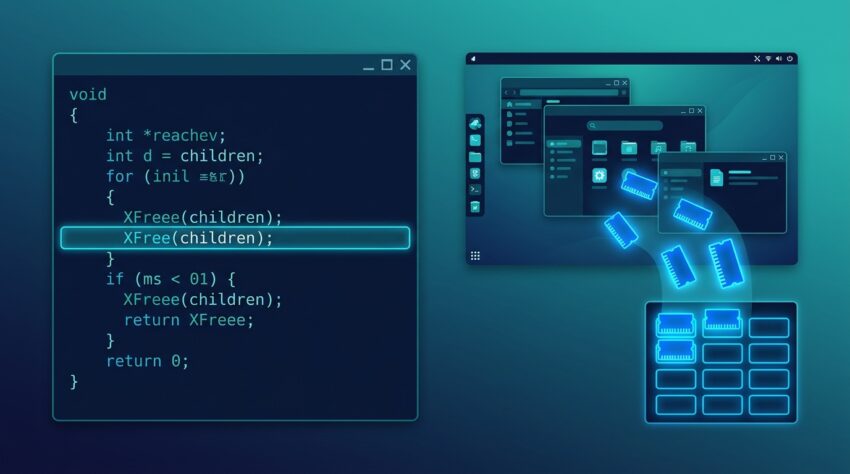
If you write C programs for the X Window System, you will run into XFree sooner or later. It is a small function, but it prevents a large share of memory leaks in X11 applications. Misuse of it also causes crashes that are hard to trace.
This guide covers what XFree does, when to call it, and which Xlib functions need it. It also lists the mistakes developers make most often.
What Is XFree?
XFree is a general-purpose Xlib routine that frees the specified data, and it is the function to use for any object that Xlib allocated unless a different function is named for that object. Xlib allocates memory on your behalf for many calls, such as window lists, property data, and hint structures. XFree is how you give that memory back.
XFree Syntax and Parameter
The declaration is short:
int XFree(void *data);The only argument, data, is a pointer to the memory you want to release. It must be a pointer that Xlib handed to you. A pointer from your own malloc() call does not qualify.
Return Value
XFree returns an int, but most programs ignore it. In everyday code you call it and move on.
Why Use XFree Instead of free()?
Beginners often ask why they cannot call the standard C free() on Xlib memory. There are three reasons.
- Different allocators. The library that allocated the memory may not use the same allocator your program links against. Mixing them can corrupt the heap.
- Platform differences. On systems where the library and your application use different C runtimes, a plain
free()can fail outright. - Future-proofing. XFree is the documented, portable way to release Xlib memory. If the internals change, your code keeps working.
The rule is simple: if Xlib allocated it, release it with XFree, unless the documentation names a specific free function for that object.
When Do You Need to Call XFree?
You need XFree whenever an Xlib function returns allocated memory to you. The man page lists many functions that refer back to XFree. These include XGetVisualInfo, XGetWindowProperty, XQueryTree, XAllocSizeHints, XAllocWMHints, XAllocClassHint, XInternAtom, and XSetWMName. The most common cases are below.
XQueryTree
XQueryTree returns a list of child windows. The list is allocated by Xlib, so you must free it when you are finished.
XGetWindowProperty
This function returns property data in a buffer. Even if you only read a single value, you are responsible for freeing the buffer afterward.
XGetVisualInfo
XGetVisualInfo returns an array of XVisualInfo structures. When you no longer need the array, free it with XFree.
XAlloc Functions
Functions such as XAllocSizeHints(), XAllocWMHints(), and XAllocClassHint() allocate hint structures for you. These structures are released with XFree as well.
A Working XFree Example
Here is a complete program that lists the top-level windows on your display and frees the list correctly:
#include <X11/Xlib.h>
#include <stdio.h>

int main(void) {
    Display *dpy = XOpenDisplay(NULL);
    if (!dpy) {
        fprintf(stderr, "Cannot open display\n");
        return 1;
    }

    Window root = DefaultRootWindow(dpy);
    Window root_ret, parent_ret;
    Window *children = NULL;
    unsigned int count = 0;

    if (XQueryTree(dpy, root, &root_ret, &parent_ret, &children, &count)) {
        printf("Top-level windows: %u\n", count);
        if (children) {
            XFree(children);
        }
    }

    XCloseDisplay(dpy);
    return 0;
}
Compile it with:
gcc windows.c -o windows -lX11The children pointer is freed once and only after the call succeeds. Setting it to NULL first also keeps the cleanup logic safe on error paths.
Example: Reading a Window Name
char *name = NULL;
if (XFetchName(dpy, win, &name) && name) {
    printf("Window title: %s\n", name);
    XFree(name);
}
XFetchName allocates the string, so the string must be released with XFree.
What Happens If You Pass NULL to XFree?
Behavior depends on the library version. Current documentation says that if the data is NULL, no operation is performed. Older documentation stated that a NULL pointer cannot be passed to this function.
If your code might run against an older libX11, check for NULL before calling XFree. It costs nothing and keeps your program portable.
Functions With Their Own Free Routines
Not everything Xlib allocates is released with XFree. Using the wrong function is a common source of bugs. Use the dedicated function when one exists:
| Allocated by | Release with |
|---|---|
XCreateGC |
XFreeGC |
XCreatePixmap |
XFreePixmap |
XCreateImage |
XDestroyImage |
XListFonts |
XFreeFontNames |
XLoadQueryFont |
XFreeFont |
XGetTextProperty string lists |
XFreeStringList |
XOpenDisplay |
XCloseDisplay |
When the documentation for a function names a specific free routine, follow it. Otherwise, XFree is the default.
Common XFree Mistakes to Avoid
Double Free
Calling XFree twice on the same pointer corrupts memory and can crash the program. After freeing, set the pointer to NULL:
XFree(children);
children = NULL;
Using Memory After Freeing It
Once you call XFree, the pointer is invalid. Copy any data you still need before releasing the buffer.
Freeing Memory You Did Not Get From Xlib
Passing a stack variable, a string literal, or a malloc() pointer to XFree is undefined behavior. Only free what Xlib gave you.
Forgetting to Free on Error Paths
Programs often free memory on the success path and leak it on early returns. Use a single cleanup section at the end of the function so every path releases what it allocated.
Freeing Individual Elements Instead of the Block
For arrays returned by Xlib, you free the array pointer once. Do not loop over the elements and free each one unless the documentation says to.
How to Detect XFree-Related Memory Leaks
You can catch leaks and invalid frees with standard tools:
- Valgrind: Run
valgrind --leak-check=full ./yourprogramto see unreleased allocations and invalid frees. - AddressSanitizer: Compile with
-fsanitize=address -gto catch use-after-free and double-free errors at runtime. - Code review: For every Xlib call that returns a pointer, check the documentation and confirm a matching release exists in your code.
Xlib itself may report some still-reachable allocations at exit. Focus on “definitely lost” blocks that trace back to your own calls.
XFree vs XFree86: Don’t Confuse Them
The word “XFree” is also tied to XFree86, a well-known open-source implementation of the X Window System that powered many Unix-like desktops for years. The Xlib function XFree() is unrelated to that project’s name, apart from the shared “X” and “Free” in the spelling. The function is part of the core Xlib library (libX11), and you use it with any modern X11 implementation, including X.Org.
If you are reading old forum threads that compare XFree86 and X.org, remember that they discuss the server software, not the memory function covered here.
Best Practices for Using XFree
- Read the man page for every Xlib function that returns a pointer. It tells you whether XFree or a specialized function is correct.
- Initialize pointers to NULL before passing them into Xlib calls.
- Check for NULL before calling XFree if you want to support older library versions.
- Free promptly once you no longer need the data, especially inside loops or event handlers where leaks accumulate.
- Set pointers to NULL after freeing to prevent double frees.
- Test with Valgrind or AddressSanitizer before shipping.
- Wrap repeated patterns in small helper functions so cleanup logic lives in one place.
Frequently Asked Questions
What does XFree do in Xlib?
It releases memory that Xlib allocated for you, such as window lists, property data, and hint structures.
Can I use free() instead of XFree()?
No. Use XFree for Xlib-allocated memory. Mixing allocators can corrupt the heap or crash the program on some platforms.
Is it safe to call XFree(NULL)?
In current library versions, yes, because nothing happens. Older versions did not allow it, so add a NULL check if you need broad compatibility.
Which header declares XFree?
<X11/Xlib.h>. Link your program with -lX11.
Does XFree close the display connection?
No. Closing the connection is the job of XCloseDisplay().
Conclusion
XFree is a small function with an important job. Whenever Xlib hands you allocated memory, XFree is how you return it, unless the documentation names a more specific routine. Keep these habits: initialize pointers to NULL, free exactly once, never mix free() with Xlib allocations, and test with a leak checker. Do that and your X11 programs will stay stable and free of memory leaks.